
Blogs
WordPress vs Webflow vs Shopify vs Wix: The Best Website Builder for You
Author : Logicloop admin
Publish Date : 2026-07-28
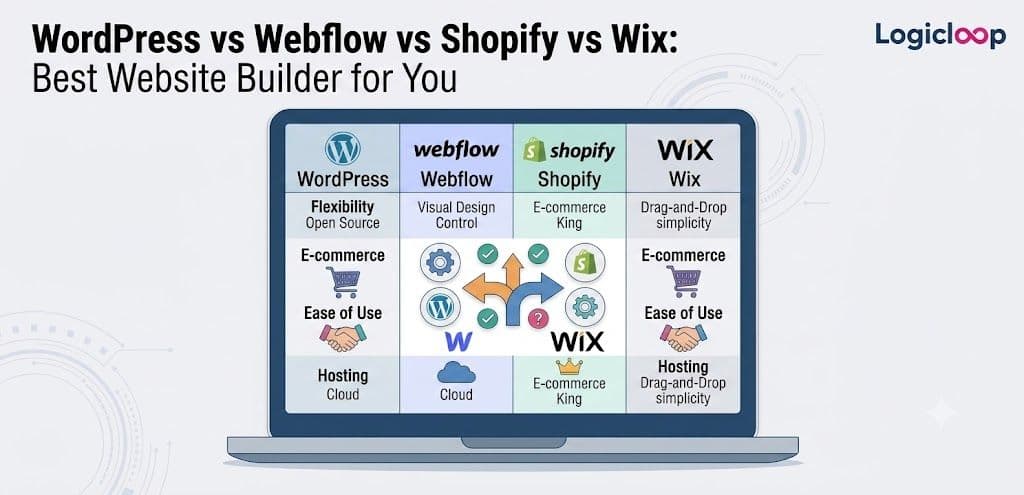
Last spring a client asked me which platform she should build her new site on. She runs a small skincare line, ships product twice a week, and wanted something she could update herself without phoning a developer every time she tweaked a price. I handed her three options. She picked the "wrong" one, and honestly, once she walked me through her actual week, her choice made total sense.
That's the whole lesson here. There isn't a single best website builder sitting at the top of some universal ranking. There's only the one that fits what you're going to do with the site, day in and day out.
This piece compares four names that get tossed around as if they're interchangeable: WordPress, Webflow, Shopify, and Wix. They aren't interchangeable. They don't even solve the same problem.
Key Takeaways
- WordPress is a content management system built for scale, ownership, and serious SEO — powerful, but you carry the maintenance.
- Webflow hands designers near pixel-level control with hosting baked in, at the cost of a steeper learning curve.
- Shopify is a store first and a website second; nothing sells product more cleanly.
- Wix gets you live fastest with the lowest technical barrier, but it's the hardest platform to leave.
- Match the tool to how you'll actually run the site — category matters less than execution.
What Each Platform Actually Is
Before pricing, before templates, figure out which category you need. That step alone eliminates two of the four for most people.
WordPress is a CMS. That's just software that lets you create and edit web pages without hand-writing raw code every time. Webflow and Wix are drag-and-drop builders — you place text, images, and buttons visually on a canvas instead of typing HTML. Shopify is a different animal entirely: an online store platform first, a general website second.
WordPress: the open-source workhorse
WordPress started life as blogging software and grew into the backbone of a big slice of the web. Industry sources put it somewhere around 40 to 42 percent of all websites, and roughly 60 percent of every site that runs on any CMS at all. That reach comes from it being open-source — the core software is free, and anyone can build add-ons for it.
Those add-ons are called plugins: small pieces of software that extend what the platform can do. WordPress has a staggering library of them, with estimates running past 60,000. Want SEO tools — the practice of structuring content so it ranks in Google? Install Yoast or RankMath. Want a visual page builder so you're not coding layouts by hand? Elementor or WPBakery cover that.
The catch: you're on the hook for hosting (the server space that stores your files and serves them when someone types your URL), security updates, and keeping your plugins from clashing with each other.
Webflow: design control without the code
Webflow flips the model. It bundles hosting, design tools, and a built-in CMS into one subscription, and it's aimed at people who think visually but still want clean output.
Designers gravitate to it because it gives you close to pixel-level control over layout without writing CSS by hand, and the code it spits out behind the scenes is genuinely tidy. The tradeoff? A steeper climb than Wix. You're not fighting the tool exactly, but there's real technique to learn before you get fast in it.
Shopify: built to sell
Shopify exists to move product. Checkout flow, inventory tracking, the app marketplace — every piece is built around running a store, not publishing a blog. If your site's core job is "take payment and ship product," Shopify does that one job extremely well.
Wix: the fastest way to go live
Wix is the platform most people picture when they hear "website builder." Drag an element anywhere, drop it, done. It ships with a big template library — somewhere near 800 depending on which source you check — plus an AI-assisted setup tool that asks you a few questions and builds a starting layout. Of the four, it's the quickest to get something live.
Pricing: What You'll Actually Pay
Exact numbers age badly here — these platforms adjust prices often. But the relative shape stays steady across every source I looked at, and the shape is what matters when you're choosing.
| Platform | Entry-level pricing | What it doesn't include |
|---|---|---|
| WordPress | Free software; hosting typically $5–$50/month | Premium themes and plugins, often $20–$300 each |
| Webflow | Around $12–$14/month on basic plans | E-commerce and heavy CMS content push cost up fast |
| Shopify | Around $29/month on the entry plan | Bigger stores need $299/month tiers, plus app subscriptions and transaction fees |
| Wix | Roughly $17–$36/month for small business tiers, up to $159/month at the top | Ads and Wix branding on free plans |
Here's the trap with WordPress: the sticker price lies to you. The software costs nothing, sure. But add hosting, a decent theme, a security plugin, a caching plugin, and maybe a page builder, and you often land in the same monthly range as Webflow or Wix — just spread across more line items instead of one clean bill. One source pegged a realistic first-year WordPress budget at $500 to $2,000, depending on how much you DIY versus outsource.
Shopify's real cost runs above the sticker too. A functioning store usually needs apps for email marketing, reviews, upsells, and the like, and each one tacks its own monthly fee onto the base plan.
Pro Tip: When you compare pricing, add up the total monthly outlay for a working site, not the headline number. A "free" platform with five paid plugins can cost more than a subscription that includes everything.
Where Each One Actually Wins
Forget feature charts for a second. Picture four different business owners, because that's how this decision really plays out.
The bakery owner
She needs a menu, hours, a contact form, and eventually online ordering. She has zero interest in thinking about hosting or security patches. Wix or a lighter Shopify plan both suit her. If she's mostly informational with a small shop bolted on, Wix is less overhead. If online ordering is the entire point, Shopify's checkout is purpose-built for exactly that — and one source I checked claimed its checkout converts noticeably better than generic alternatives, which tracks, given that conversion is the thing Shopify optimizes for above everything else.
The SaaS startup founder
He needs a marketing site that looks sharp, loads fast, and can be handed to a designer who'll obsess over spacing and animation. This is Webflow's home turf. It was built by and for people who care about that level of polish, and because hosting is baked in, he's not also babysitting a server. The tradeoff: whoever builds it needs real Webflow fluency, or he's paying an agency indefinitely.
The content publisher
A niche blog, a local news site, a company with a huge resource library — this owner needs a platform that shrugs off thousands of pages, complex taxonomies, and heavy SEO tooling. That's WordPress's entire reason for existing. It scales where the others generally don't. Webflow, for one, caps how many CMS items you can have per plan, somewhere between 2,000 and 10,000 depending on the tier. A content-heavy publisher hits that ceiling faster than you'd think.
The store that isn't only a store
Think of a furniture maker who also blogs about woodworking, or a supplement brand publishing long-form research to build trust before anyone buys. This is where the WordPress + WooCommerce combo earns its keep.
WooCommerce is a free plugin that turns a WordPress site into a full store, and it reportedly powers something like a third of all online stores worldwide. It doesn't charge transaction fees the way some hosted platforms do, and it inherits all of WordPress's content and SEO muscle. The price of admission: more setup work and more moving parts to maintain than Shopify's tidy, all-in-one experience.
The WordPress vs Webflow Question, Specifically
This one comes up so often on its own that it deserves its own section, separate from the four-way pile-up.
Most of the time, WordPress and Webflow aren't even competing for the same job. WordPress wins when content volume, SEO depth, or long-term platform ownership matter most — you're not locked into anyone's subscription, and you can move your site to any host you like. Webflow wins when design quality and a clean editing experience outweigh raw content scale, and when you'd rather pay one predictable monthly fee than juggle hosting, backups, and plugin updates.
One comparison reported page-load benchmarks of roughly 1.4 seconds for Webflow sites versus about 3.4 seconds for WordPress. Take that with a grain of salt, though. The WordPress figure swings hard on hosting quality and how bloated the plugin stack is. A well-tuned WordPress site on good hosting can absolutely beat a sloppy Webflow build — and the reverse is just as true.
Ease of Use and the Maintenance Question
Wix is the easiest of the four to pick up cold, which is exactly why it's the most popular consumer-facing option by raw usage. You'll be dragging boxes around and publishing a page within an hour of signing up.
WordPress asks more of you upfront — either you learn the dashboard or you hire someone who already knows it. A page builder plugin like Elementor closes a lot of that gap for non-technical users, though. Webflow lands in the middle: not as instantly intuitive as Wix, but once you're over the learning curve, you get far more control than either Wix or Shopify's design tools allow.
Maintenance is where these platforms split apart the hardest, and it's the part people underestimate when they shop on sticker price alone.
- WordPress is self-hosted. You own security updates, backups, and plugin compatibility. That's real ongoing work — or a real ongoing cost if you pay someone to do it for you.
- Webflow, Shopify, and Wix handle all of that as part of the subscription. That's a genuine reason their monthly fee sits above WordPress hosting alone.
You're not paying more for less. You're paying someone else to carry the operational load. For plenty of owners, that's the smartest money they spend.
The Lock-In Problem Nobody Mentions Upfront
Here's a factor that never shows up in feature charts but matters enormously if you ever want to switch: how hard is it to leave?
- WordPress content lives in a database you control. Migrating to a new host — or a different CMS entirely — is annoying but very doable.
- Webflow offers limited export options, but it still gives you more portability than a fully closed system.
- Wix is the one to watch. Its site structure and templates don't translate cleanly elsewhere, so leaving usually means rebuilding from scratch.
That's not a dealbreaker for a small local business that'll never outgrow Wix. But it's worth knowing before you pour three years of content into a platform you can't easily walk away from.
How to Actually Decide
Skip the feature checklists. Run through this instead — check the box that describes your situation, and the platform names itself.
- The site's core job is selling physical or digital products at scale → Shopify
- You need heavy content publishing, maximum long-term flexibility, and total ownership of your platform (and you're fine learning some basics or paying someone who has them) → WordPress
- Design quality and brand presentation are the whole point — a marketing site, portfolio, or SaaS front end — and you'd rather pay a subscription than manage a server → Webflow
- You need something live this week, you're not expecting to outgrow a handful of pages, and you want the lowest technical barrier possible → Wix
If two boxes tempt you, weight the one tied to your primary goal. A store that also blogs is still, first, a store.
A quick step-by-step to lock it in
- Write one sentence describing the site's main job. Selling? Publishing? Presenting a brand? Be honest about which comes first.
- Estimate your content volume over the next two years — a few pages, or a few thousand?
- Decide how much maintenance you're willing to own versus pay someone else to handle.
- Match those three answers against the platforms above.
- Build a rough version fast, get it live, and refine from real feedback instead of imagined needs.
Common Mistakes to Avoid
- Choosing on sticker price alone. WordPress looks free until the plugins and hosting stack up; Shopify looks cheap until the apps do.
- Buying for the business you might become. Most sites never hit the scale their owners plan for. Build for the next year or two, not a hypothetical empire.
- Underestimating maintenance. Self-hosting is real work. If nobody on your team wants that job, a managed platform is worth every extra dollar.
- Ignoring lock-in. Ask how you'd leave before you commit years of content to a platform.
- Chasing the "right" category over execution. Plenty of thriving businesses run on the "wrong" platform for their type and do just fine.
Frequently Asked Questions
Which is the best website builder overall?
There isn't one, and any answer that claims otherwise is selling something. The best builder is the one that matches your site's main job, your content volume, and how much maintenance you're willing to own.
Is WordPress really free?
The core software is, yes. But a working site needs hosting, and usually a theme, a security plugin, and a few others — so real first-year costs often land between $500 and $2,000 depending on how much you do yourself.
Which platform is easiest for a total beginner?
Wix, hands down. You can drag elements onto a page and publish within an hour of signing up, with no code and no server to manage.
Should I use Shopify or WooCommerce for an online store?
Shopify if selling is the whole point and you want a polished, low-maintenance store. WooCommerce (on WordPress) if your store lives alongside heavy content and long-form SEO, and you'd rather avoid platform transaction fees in exchange for more setup work.
WordPress vs Webflow — which should I pick?
WordPress for content scale, SEO depth, and platform ownership. Webflow for design polish and a clean, hosting-included editing experience. They rarely compete for the same job.
Does Wix hurt my SEO?
Wix can handle SEO fine for small and mid-sized sites. The bigger concern is scale and portability — it doesn't stretch to thousands of pages as gracefully as WordPress, and its content is hard to migrate out later.
How much does Webflow cost compared to Wix?
They're broadly comparable at the entry level, with Webflow starting around $12–$14/month and Wix's small business tiers running roughly $17–$36/month. Webflow's cost climbs faster once you add serious CMS content or e-commerce.
Can I switch platforms later if I choose wrong?
Sometimes easily, sometimes not. WordPress content is the most portable since you control the database. Webflow offers limited exports. Wix is the toughest to leave — moving usually means rebuilding.
Which platform loads fastest?
One benchmark put Webflow around 1.4 seconds and WordPress around 3.4 seconds, but WordPress speed depends heavily on hosting and plugin bloat. A well-optimized WordPress site on solid hosting can beat a careless Webflow build.
What if my site is both a store and a content hub?
That's the classic WordPress + WooCommerce case. You get full store functionality plus WordPress's content and SEO strength, at the cost of more parts to maintain than a single hosted platform.
Final Thoughts
If you strip away the feature tables, this decision comes down to four honest questions: What's the site's real job? How much content will it hold? How much upkeep will you own? And how likely are you to move later?
Answer those and the platform stops being a coin flip. Shopify for selling at scale. WordPress for content and ownership. Webflow for design-led marketing sites. Wix for getting live fast with minimal fuss.
One last caveat, because it's the truest thing in this whole comparison: plenty of successful businesses have built on the "wrong" platform for their category and done perfectly well. Execution, content quality, and consistent marketing beat logo choice every single time. Pick the tool that won't fight you every week, get the thing live, and pour your remaining energy into the parts no comparison table can help you with.