
Blogs
Google Business Profile Optimization: The Complete Checklist
Author : Logicloop admin
Publish Date : 2026-07-28
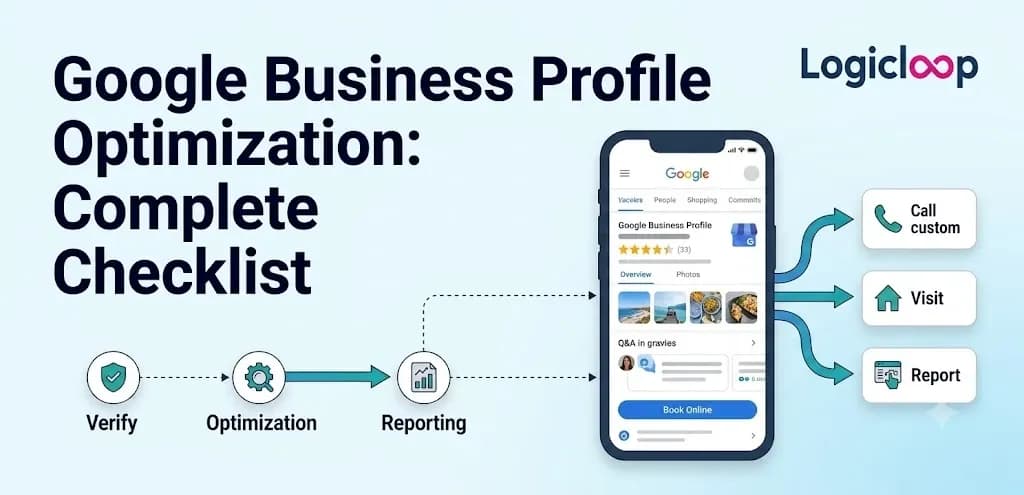
We took on a client last spring, a dentist's office a couple of suburbs over, whose Google listing had been sitting untouched since 2019. The exterior photo was sun-faded. Half the services weren't listed. Nobody had replied to a review in more than a year.
We spent about two hours filling in the gaps, added real photos shot that same week, and started answering reviews within a day of them landing. Six weeks later, calls coming straight from the map listing had nearly tripled.
No paid ads. No website rebuild. Just Google Business Profile optimization done properly, on a profile that already existed and had been left to rot. That gap between "claimed" and "actually optimized" is where most local businesses quietly lose customers, and it's exactly what this checklist is built to close.
Key Takeaways
- A Google Business Profile (GBP) is your free listing on Google Search and Maps, and it drives calls, directions, and clicks with zero ad spend.
- NAP consistency (name, address, phone) across the web is non-negotiable, and keyword-stuffing your business name can get you suspended.
- Reviews and photos do the heaviest lifting, and both need attention every single week.
- Google ranks local listings on relevance, distance, and prominence, and two of those three sit inside your control.
- Optimization isn't a one-time push. It's ten minutes a week, forever.
What Is a Google Business Profile?
Google Business Profile, almost always shortened to GBP, is the free listing that appears when someone searches for a business by name or types something like "orthodontist near me." It fills in the map pin, the hours, the star rating, and that photo strip you see beside a search result or inside Google Maps.
The tool used to be called Google My Business. Google renamed it in late 2021 and eventually retired the standalone app. Plenty of owners, and honestly plenty of marketers, still call it Google My Business out of habit. Same listing, different name tag. Don't sweat it if the old term slips out.
Why It Matters
Think about how you find a plumber or a taco spot in an unfamiliar part of town. You don't scroll to page two of the organic results. You look at the map, you look at the stars, you look at the photos, and you tap. That whole moment is your GBP doing its job or failing to. Get it right and you show up in the exact place people are making a decision.
The Full Checklist at a Glance
Here's everything we work through with a client, top to bottom. The rest of this guide breaks each one down.
- Claim the profile and confirm you qualify
- Lock down who has admin access
- Make NAP identical everywhere online
- Choose an accurate primary category plus real secondaries
- Write a human-sounding description
- Upload 15–30 quality photos, then add more weekly
- List every service, product, or menu item individually
- Collect reviews and reply to all of them
- Post at least once a week
- Seed the Q&A and turn on messaging
- Enable the extras that fit your business type
- Add LocalBusiness schema to your website
- Check Insights and repeat
Claim It, and Make Sure You're Even Allowed to Have One
Before you touch a single field, confirm two things: the profile is genuinely yours, and you qualify for one at all.
Google's rule is that the business has to serve customers in person, either at a fixed location or by traveling to them, and it needs to be open now or opening within the next 90 days. Whoever manages the listing must be the owner or someone the owner has authorized. Purely online businesses with no physical presence and no service area don't get a standalone listing, full stop.
Inherited a profile from a previous owner, an old agency, or an employee who walked out the door? Verify who holds admin access before doing anything else. We've walked into more than one mess where three former staff members still had owner-level permissions on a listing nobody at the company could log into. Sort that out first, or you'll be building on sand.
Get NAP Identical Everywhere
This is the part people skip because it sounds boring. It's also the part that causes the most damage when it's wrong.
NAP consistency means your business name, address, and phone number show up exactly the same way across your website, your GBP, your Facebook page, Yelp, industry directories, all of it. Not "123 Main St." on one and "123 Main Street, Suite B" on another. Google cross-references this stuff to decide whether it trusts your listing, and every mismatch chips away at that trust.
A few ground rules:
- Use a real local phone number with an area code that matches your service area, not a national call-tracking line that changes every few months.
- Use your actual physical address, never a PO box.
- Don't stuff keywords into your business name field.
That last one trips up more owners than you'd think. Naming yourself "Smith Dental - Best Dentist in Springfield" instead of just "Smith Dental" reads as a violation of Google's guidelines, and it can get a listing suspended rather than ranked higher.
Pro Tip: If your business has moved, changed names, or you suspect a stray duplicate listing from years back, hunt it down and merge or close it. Two live listings for one business split your reviews, photos, and search signals right down the middle.
Pick Categories That Match What You Actually Do
Your primary category is one of the strongest signals Google uses to decide which searches you show up for, so don't default to something vague. A spot that specializes in wood-fired pizza should pick that specific category over the broad "restaurant" option, then add secondary categories for anything else that's genuinely true, like "caterer" if it caters events.
The goal is accuracy, not coverage. Piling on categories that don't really apply, just to appear in more searches, tends to backfire because it dilutes relevance for the searches that actually matter. Revisit your categories every so often too, especially after adding a new service line. A listing sitting on the same three categories since opening day is probably leaking traffic it should be winning.
Write a Description a Real Person Would Read
Google gives you up to 750 characters for your business description. Use most of it, and write like you're explaining the place to a neighbor rather than cramming in every search term you can think of.
Say what you do, who you do it for, and what makes you worth choosing, whether that's twenty years in the neighborhood, a niche specialty, or same-day appointments. Keywords can appear here naturally, but a description that reads like a list of phrases is easy to spot and does the business no favors with the humans actually reading it.
Photos Pull More Weight Than Owners Realize
This is the single most under-used lever on a local listing. Businesses with photos get 42% more requests for driving directions and 35% more click-throughs to their website than businesses without them. That's a serious return on an afternoon with a decent phone camera.
Start with roughly 15 to 30 solid photos covering the basics:
- The exterior, so people recognize the building when they pull up
- The interior
- The team
- Whatever products or services you offer
A dentist's office needs shots of the waiting room and maybe the equipment, not just a logo. A restaurant needs food photos that actually look like the food on the plate, not stock imagery. After that first batch, keep adding, ideally weekly. A listing whose newest photo is dated three years ago signals neglect even when everything else checks out.
Video helps as well, and for some businesses a virtual tour earns its keep. Google itself has pointed out that people are about twice as likely to be interested in booking a hotel room when the listing includes a virtual tour. Same logic holds for restaurants, event venues, or anywhere the physical space is part of the decision to walk in.
List Services, Products, or Your Menu Like They Matter
Whatever you sell, list it as its own item instead of burying it in a paragraph. A dental practice should have separate entries for teeth whitening, Invisalign, emergency extractions, and routine cleanings, because those are the exact things people type into Google. A retail shop should list product categories. A restaurant should have a real menu with prices, not a PDF link nobody taps.
This section feeds directly into what Google surfaces in search results, and it matches your listing to specific, high-intent searches instead of vague ones. Someone searching "Invisalign near me" is a lot closer to booking than someone searching "dentist."
Reviews and the Star Rating People Scroll Straight To
The star rating, that average out of five sitting under your name, is often the first thing a searcher checks before they read a word of your description. Reviews pull double duty: a trust signal for customers and a ranking signal for Google. Profiles with more recent, more numerous reviews tend to perform better in the local pack, the block of three map-pinned businesses Google shows above the regular organic results.
How to earn them the right way
- Treat ten reviews as your baseline, then keep going.
- Ask happy customers directly, right after a good interaction, when it's easiest for them to say yes.
- Reply to every review, good and bad.
- Never buy or fake reviews.
A thoughtful reply to a one-star review often does more for credibility than the negative review does damage, because it shows a prospective customer that someone's paying attention. And on fake reviews, Google's detection has gotten aggressive. It's genuinely not worth risking a listing you've spent months building.
Post Something Every Week
Google Posts work like a tiny social feed bolted onto your listing: short updates about promotions, new services, events, or just what's happening this week. One post a week is the realistic minimum to keep a profile looking alive instead of abandoned. Some businesses do two.
It doesn't need to be fancy. A photo of this week's special, a note about extended holiday hours, a hello to a new team member, it all counts.
Pair posts with the Q&A section, which lets anyone, not just you, ask and answer questions publicly on the listing. Seed it yourself with the questions you get most often, like parking or whether you take walk-ins, so a competitor or a random stranger doesn't answer first with bad information.
Turn on messaging too, though keep this in perspective: these secondary features shift over time. Google quietly removed chat and call history from Business Profiles in July 2024. Good reminder not to build a workflow that leans entirely on a feature Google might trim next quarter.
Turn On the Extras That Actually Apply
Beyond the core fields, GBP has features that only matter to certain business types but are worth a look:
- Restaurants and retailers can enable ordering links.
- Service businesses can add booking or appointment scheduling right on the profile.
- No website yet? Google's built-in website builder can spin up a basic one from your profile info. It beats no web presence, though it shouldn't be a permanent stand-in for a real site.
- Running Google Ads? Linking your ad account, and your Merchant Center feed if it's relevant, keeps everything connected in one place.
One more technical step lives on your own site: adding LocalBusiness schema markup. That's a bit of structured code telling search engines exactly what your name, address, hours, and category are. It reinforces the information Google already has from your profile and closes the loop between your website and your listing. Usually a quick job for whoever manages your site.
What Google Is Actually Weighing
Google has said local rankings come down to three factors. Here's how they stack up in terms of what you can influence.
| Ranking Factor | What It Means | How Much Control You Have |
|---|---|---|
| Relevance | How well your profile matches the search | High |
| Distance | How close you are to the searcher | None |
| Prominence | Your reputation from reviews, links, and mentions | High |
You can't move your building closer to every searcher. But relevance and prominence sit almost entirely in your hands through the categories you pick, how complete your profile is, and the reviews you earn. That's really what this whole checklist does: hand Google clear, consistent signals on the two factors you can actually move.
Best Practices vs. Common Mistakes
Most GBP failures aren't dramatic. They're neglect. Here's the contrast we see over and over.
| Do This | Not This |
|---|---|
| Update hours, including holidays | Let customers show up to a locked door on Thanksgiving |
| Reply to reviews within a day or two | Leave negative reviews sitting for months |
| Keep the business name clean | Cram keywords into the name field |
| Add fresh photos weekly | Post once in 2019 and forget it |
| Merge duplicate listings | Split your signals across two profiles |
The repeat offender worth calling out twice is treating the listing as a place to stuff keywords, whether in the name, the description, or fake categories. It doesn't just look unprofessional. It breaks Google's guidelines and can get you suspended, which means restarting verification from scratch while competitors keep stacking reviews in the meantime.
Real-World Example: The Monday Coffee Routine
Remember the dentist's office from the top of this piece? Here's what changed after the initial two-hour cleanup: they now check the listing every Monday morning, ten minutes with coffee before the first patient arrives.
Answer any new reviews. Check for new questions. Post something if there's news. That's the whole secret. Not one heroic optimization push, but a small one repeated for as long as the business exists. The tripled call volume didn't come from the two hours we spent. It came from the ten minutes they've kept spending.
Track What's Working, Then Keep Going
Inside your profile, Google's Insights panel shows how people found you, what they clicked, how many called, and how many asked for directions. Pay more attention to those actions than to raw view counts. A thousand people glancing at a listing means less than twenty people calling to book.
If direction requests spike after you add photos, that tells you something. If calls sag after a slow month of posting, that tells you something too. Treat the profile as a living part of the business, not a form you filled out once.
Frequently Asked Questions
Is Google Business Profile the same as Google My Business?
Yes. Google renamed Google My Business to Google Business Profile in late 2021 and later retired the standalone app. If someone says either name, they mean the same free listing.
How much does a Google Business Profile cost?
Nothing. It's free to claim, verify, and optimize. The only "cost" is the time you put into keeping it current, which is exactly where most businesses fall short.
How many photos should I upload?
Start with 15 to 30 covering your exterior, interior, team, and offerings. Then add new ones regularly, ideally weekly, so the listing stays looking active.
How long is the business description allowed to be?
Up to 750 characters. Use most of that space, write for a real reader, and let keywords appear naturally rather than forcing them in.
How many reviews do I need?
Aim for at least ten as a baseline, then keep collecting. Recency and volume both help, so a steady trickle of new reviews beats a burst that goes stale.
Should I respond to negative reviews?
Absolutely, and quickly. A calm, thoughtful reply to a one-star review often builds more credibility than the review itself costs you, because it shows prospective customers that someone's genuinely paying attention.
Can I put keywords in my business name to rank higher?
No. Adding keywords or taglines your business isn't legally named breaks Google's guidelines and can get the listing suspended. Use your real name and let categories and content do the ranking work.
What if there are duplicate listings for my business?
Track them down and merge or close the extras. Duplicates split your reviews, photos, and search signals, which weakens every version of the listing.
How often should I post to Google Posts?
At least once a week. It keeps the profile looking active, and it doesn't have to be elaborate, a photo of the special or a note about holiday hours does the trick.
Which metrics in Insights actually matter?
Focus on actions like calls, direction requests, and website clicks rather than raw views. Twenty people calling to book tells you far more than a thousand people who merely glanced.
Final Thoughts
Google Business Profile optimization isn't complicated, and it isn't expensive. What trips people up is that it never really ends. You claim the listing, fill it out, and then the work becomes maintenance: fresh photos, quick review replies, a weekly post, hours that stay accurate.
Do that consistently and you're feeding Google clear signals on the two ranking factors you can actually control, while making a genuinely useful first impression on the people searching. Ten minutes a week, a coffee in hand. That's the difference between a listing that sits there and one that brings in calls.