
Blogs
Conversion Rate Optimization: A Beginner's Guide to CRO
Author : Logicloop admin
Publish Date : 2026-07-28
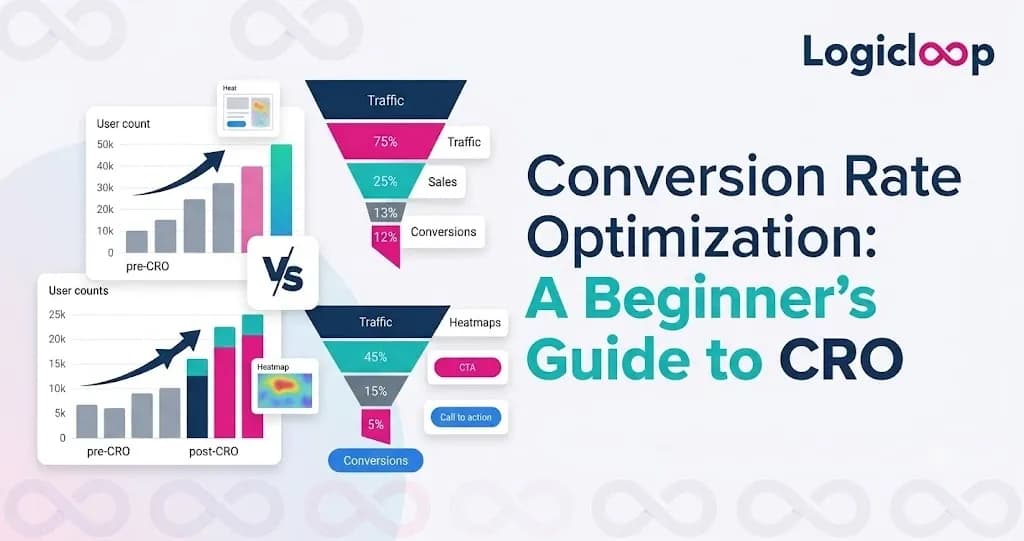
Pull up almost any website traffic report and it looks great at first glance. Big numbers, upward trends, plenty of visitors. Then you check how many people actually did anything, and the mood shifts. A store pulling 50,000 visitors a month at a 1 percent conversion rate is turning just 500 of them into customers. The traffic looks fantastic. The result doesn't.
That gap, the space between people showing up and people acting, is the whole reason conversion rate optimization exists. CRO isn't about pouring more money into ads to drag in more visitors. It's about squeezing more value out of the ones you've already paid to attract. This guide walks through what that looks like in real life, not just on a slide.
Key Takeaways
- CRO improves the percentage of visitors who complete an action you care about, instead of just chasing more traffic.
- The formula is simple: conversions divided by total visitors, times 100.
- Moving from a 2 to 3 percent conversion rate is a 50 percent revenue jump on the same traffic, no new ad spend.
- Real CRO is a repeating loop of evidence, hypothesis, test, and learning, not a one-off checklist.
- Watching session recordings beats guessing at best practices every single time.
What conversion rate optimization actually means
Here's the plain version. Conversion rate optimization is the practice of improving your site or app so a higher share of visitors finish a specific action you want them to take. That action might be buying a product, starting a trial, filling out a contact form, or grabbing a downloadable resource.
The math is refreshingly simple. Take the number of people who converted, divide it by your total visitors, and multiply by 100. If 50 out of 5,000 visitors submit a form, your conversion rate is 1 percent. Qualaroo's CRO guide lays it out exactly that plainly.
Most sites cluster inside a fairly tight band. Depending on which source you trust, average conversion rates land somewhere between 2 and 5 percent across industries. Ecommerce often runs lower, roughly 1 to 4 percent, simply because buying something carries more friction than dropping your email into a lead form. B2B tends to run leaner still. Lead Forensics pegs the B2B average near 2 percent and notes it swings hard by industry, from about 1.2 percent in engineering to 7.4 percent in legal services.
Don't treat any of those numbers as a target to hit on the nose. They're context, not a finish line. A "good" conversion rate looks completely different depending on what you sell and who's buying it.
Macro versus micro conversions
There's a distinction here that trips up a lot of beginners, and it's worth getting straight early.
| Type | What it is | Examples |
|---|---|---|
| Macro conversion | The big outcome you ultimately want | Purchase, signed contract, completed demo request |
| Micro conversion | A smaller step that signals intent | Adding an item to cart, watching a product video, downloading a spec sheet |
Track both. If your macro conversions are flat while micro conversions climb, that's a signal you're optimizing the wrong stretch of the funnel, the sequence of pages and steps a visitor moves through on the way to converting. People are getting interested but stalling before the finish. That tells you where to look next.
Why this beats chasing more traffic
It's tempting to read a stalled conversion rate as a traffic problem. Run more ads. Publish more posts. Buy more clicks. But do the math on it. If your site converts at 2 percent, doubling traffic just doubles the crowd that leaves without doing anything. FullStory's research suggests around 95 percent of visitors leave a typical site without converting at all. Sit with that number for a second, then think about how much money went into getting them there.
For most businesses, learning to improve conversion rate performance is a smarter use of time than hunting for new visitors, because the gains stack in a way paid traffic never does. Lucky Orange's guide makes the point cleanly: going from a 2 percent to a 3 percent conversion rate is a 50 percent increase in revenue from the exact same traffic, with zero extra ad budget.
Qualaroo frames the same idea from the cost angle. Double your conversion rate and you effectively cut your customer acquisition cost in half, since you're pulling twice the results from the same visitors. That's the entire case for CRO in a sentence. It's also why teams that get serious about growth eventually stop asking how to get more visitors and start asking why the ones they've got aren't converting.
Pro Tip: Before you touch a single word of copy or debate button colors, run your key pages through Google PageSpeed Insights or GTmetrix. FullStory notes a one-second delay in load time can cut conversions by around 7 percent. A slow checkout or an image-heavy landing page bleeds sales quietly, and no headline tweak fixes that.
Speed matters more than most beginners expect. Both tools above show up in Lucky Orange's process, and they're worth running just to rule out load time as the reason people are bouncing (leaving after viewing only one page) before they ever reach your offer.
The CRO process, step by step
Good conversion rate optimization isn't one tactic you fire off once and forget. It's a loop. Gather evidence, form a hypothesis, test it, then use what you learned to shape the next test. Mouseflow describes it as a cyclical process rather than a one-time fix, and that framing genuinely matters. Teams that treat CRO like a checklist tend to stall out right after the first few obvious wins.
Strip away the terminology differences across various CRO guides and the process looks roughly like this:
- Define the conversion. Decide what a conversion actually means for the page or funnel you're working on, then pull your baseline numbers from an analytics tool like Google Analytics 4 so you know your starting point.
- Gather qualitative evidence. Numbers alone won't cut it. Session recordings, heatmaps, and on-site surveys show you where people hesitate, where they click things that aren't clickable, and where they give up.
- Build testable hypotheses. Turn evidence into specific, falsifiable statements. "Add trust badges" is a guess. "Adding a security badge near the payment field will reduce checkout abandonment because our surveys show payment anxiety" is something you can actually test and learn from either way.
- Prioritize ruthlessly. You'll always have more ideas than time. More on that below.
- Run, measure, decide. Test against your baseline, then either roll out the winner or fold the loss into what you now know and move on.
That last step gets skipped far too often. A failed test isn't wasted effort if it told you something true about how your visitors behave.
Prioritizing with ICE
Since you'll never test everything, you need a way to sort. Lead Forensics recommends the ICE framework: score each idea on Impact, Confidence, and Ease, then work down the list from highest score to lowest.
| Factor | Question it answers |
|---|---|
| Impact | If this works, how much will it move the needle? |
| Confidence | How sure are we it'll actually work? |
| Ease | How much effort and time does it take to run? |
It's a rough tool, not a precise formula. But it keeps teams from burning three weeks on a low-impact button color test while a broken checkout flow sits there untouched.
A/B testing, split testing, and multivariate testing
Most conversion optimization work eventually runs through some form of testing, and three methods keep coming up.
- A/B testing splits your traffic between two versions of a page that differ in one meaningful way: a headline, a CTA (call to action, the button or link telling a visitor what to do next, like "Start Free Trial"), or an image. It measures which converts better.
- Split testing is similar but usually pits two substantially different page designs against each other, sometimes on separate URLs, rather than testing one tweaked element.
- Multivariate testing (MVT) goes further, testing combinations of several elements at once to find the best-performing mix. Powerful, but it needs a lot more traffic to reach a statistically reliable result, since visitors get split across far more variations.
Here's the comparison that actually matters when you're starting out:
| Method | Best for | Traffic needed | Setup difficulty |
|---|---|---|---|
| A/B testing | Beginners, single-element changes | Moderate | Low |
| Split testing | Comparing whole page designs | Moderate to high | Medium |
| Multivariate | Fine-tuning many elements together | High | High |
For a site just getting into conversion rate optimization, A/B testing is almost always the right entry point. It's simpler to set up, easier to read, and doesn't demand the traffic volume MVT needs to produce something trustworthy. Save multivariate testing for later, once you've built a testing habit and have the visitors to support it.
The six things quietly working against conversions
Before you write a single test, it helps to look at your pages through a specific lens. Qualaroo's guide breaks conversion rate down into six contributing factors, and this framework holds up well in practice because it hands you a way to diagnose a problem instead of guessing at a fix.
- Value proposition — Do visitors grasp what they're getting and why it beats the alternative within a few seconds of landing?
- Relevance — Does the page match what the visitor expected when they clicked? Mismatched ad copy and landing page headlines sabotage CRO efforts before they start.
- Clarity — Are your layout, copy, and CTAs easy to parse at a glance?
- Anxiety — Any friction that makes someone hesitate: unclear return policies, no visible security signals, hidden fees that surface at checkout.
- Distraction — Anything competing for attention that isn't the primary action: autoplay videos, unrelated promos, cluttered navigation.
- Urgency — Is there a genuine reason to act now rather than bookmark the page and never return?
When a test underperforms, it's usually because it addressed the wrong one of these six. A prettier button doesn't fix an anxiety problem, and more urgency messaging won't save a page with a clarity problem underneath it.
Tools worth knowing
You don't need a giant stack to do real CRO work, but a few categories show up in almost every serious setup.
- Analytics tools like Google Analytics 4 give you the quantitative baseline: traffic, conversion rate, drop-off points, and where visitors come from.
- Behavior tools like Lucky Orange, Hotjar, and Mouseflow layer qualitative insight on top through heatmaps and session recordings, letting you watch how someone scrolls, hesitates, and abandons instead of guessing from a spreadsheet.
- Testing platforms such as Optimizely, VWO, and AB Tasty run the actual A/B and multivariate tests and handle the statistical significance math, so you're not eyeballing whether a result is real or just noise.
- Feedback tools, meaning on-site surveys and post-purchase questionnaires, fill in the "why" that behavioral data alone can't answer.
Watching session recordings is often the fastest way to catch something analytics would never surface, like visitors repeatedly clicking an image that looks like a button but isn't.
Honestly, the tool matters less than the discipline of using what it tells you. Plenty of teams install a heatmap tool, glance at it once, and never open it again. The value lives in the habit, not the subscription.
What CRO looks like when it works
Case studies land harder than any framework, so here are a few worth sitting with.
Mouseflow describes RAINS, an outerwear brand, using friction analysis and checkout changes to lift conversions by roughly 9.8 to 10.8 percent. Derek Rose saw a 37 percent conversion uplift after fixing UI and UX issues, including how a popup was designed. A skincare brand called Ecooking picked up about a 10 percent improvement through session analysis paired with targeted A/B testing. None of these involved a full redesign. Each came from spotting one specific point of friction and fixing that.
Lead Forensics cites an older but still instructive example from Bing, where a single change to how ads displayed increased revenue by 12 percent. The takeaway isn't that small changes always produce huge results. Most tests won't move things nearly that much. It's that you often can't predict in advance which small change will matter. That unpredictability is the entire argument for testing instead of guessing.
Mistakes beginners make
- Are you treating CRO as a process rather than a copy-paste list of best practices?
- Do your tests run long enough to cover a full business cycle, weekends included?
- Have you checked the mobile experience, not just desktop?
- Can you finish the sentence "I believe changing X will improve Y because Z"?
Those four boxes map to the four most common ways beginners trip.
The biggest one isn't picking the wrong tool. It's treating conversion rate optimization as a list of best practices to copy instead of a process of testing what's actually true for your own visitors. A checkout flow that works beautifully for one brand can flop for another because the audience, price point, or trust level is completely different. Mouseflow's guide is blunt about it: CRO is not "blindly following industry best practices," and it isn't making random changes without measuring them either.
The second mistake is calling a test too early. Ending an A/B test after two days because one version is "winning" almost always means you're reacting to noise, not a real difference in behavior. Give tests enough time to cover a full business cycle before you trust the result.
Third is optimizing desktop and forgetting that a huge share of visitors are on mobile, where slow load times, cramped forms, and tiny tap targets do even more damage than they do on a bigger screen.
Fourth, and maybe the most avoidable, is running a test without a clear hypothesis. If you can't finish "I believe changing X will improve Y because Z," you're not testing. You're just changing things and hoping.
Where to start this week
If you're brand new to this, don't try to build a full testing program on day one. Pick your highest-traffic, lowest-converting page, exactly the kind Lead Forensics recommends prioritizing first, and install a behavior analytics tool on it.
Then watch. Ten session recordings before you change a single thing. You'll spot patterns a dashboard never surfaces: the form field everyone skips, the price everyone hovers over and then abandons, the CTA nobody scrolls far enough to see.
After that, pick one hypothesis, the smallest one you genuinely believe in, and test it properly instead of testing five things at once. Conversion rate optimization rewards patience more than cleverness. The sites that get meaningfully better over a year usually aren't the ones that stumbled onto a brilliant redesign. They're the ones that ran a steady stream of small, honest tests and actually acted on what the data told them.
Frequently Asked Questions
What is a good conversion rate?
It depends entirely on your industry and what you're selling. Averages sit somewhere between 2 and 5 percent across industries, with ecommerce often lower at 1 to 4 percent and B2B running near 2 percent. Treat those as context, not a target you must hit.
How do I calculate my conversion rate?
Divide the number of people who converted by your total visitors, then multiply by 100. If 50 of 5,000 visitors submit a form, that's a 1 percent conversion rate.
What's the difference between a macro and a micro conversion?
A macro conversion is the big outcome, like a purchase or a signed contract. A micro conversion is a smaller step that signals intent, like adding to cart or watching a product video. Tracking both shows you where in the funnel people stall.
Is CRO better than just buying more traffic?
For most businesses, yes. If your site converts at 2 percent, doubling traffic just doubles the people who leave without converting. Improving the conversion rate compounds in a way paid traffic doesn't, and it lowers your customer acquisition cost at the same time.
How much does page speed affect conversions?
More than beginners expect. FullStory notes a one-second delay in load time can reduce conversions by around 7 percent. Run key pages through Google PageSpeed Insights or GTmetrix before blaming your copy.
Should I start with A/B testing or multivariate testing?
Start with A/B testing. It's simpler to set up, easier to interpret, and doesn't need the heavy traffic multivariate testing requires to produce a reliable result. Move to MVT later, once you've built a testing habit.
How long should I run an A/B test?
Long enough to cover a full business cycle, weekends included. Ending a test after a couple of days because one version looks like it's winning usually means you're reacting to noise, not real behavior.
What tools do I actually need to get started?
An analytics tool like Google Analytics 4 for your baseline, plus a behavior tool like Lucky Orange, Hotjar, or Mouseflow for heatmaps and session recordings. Testing platforms like Optimizely, VWO, or AB Tasty come in once you're ready to run structured tests.
Why did my test fail even though I followed best practices?
Probably because the change addressed the wrong problem. Qualaroo's six factors, value proposition, relevance, clarity, anxiety, distraction, and urgency, help diagnose this. A prettier button won't fix an anxiety problem, and best practices from another brand may not fit your audience.
What's the single biggest CRO mistake beginners make?
Treating CRO as a checklist of tactics to copy rather than a process of testing what's true for your own visitors. Random changes without measurement, and copied best practices without testing, both tend to disappoint.
Final Thoughts
CRO isn't a magic trick or a one-time redesign. It's a habit. You gather honest evidence about how real people use your site, form a hypothesis you can defend, test it patiently, and act on what you learn, then do it again. The teams that win at this over the long run are the disciplined ones who keep asking why their existing visitors aren't converting and keep running small, careful tests until the answers show up.
Start this week with one page, ten session recordings, and a single hypothesis. That's genuinely enough to begin.